
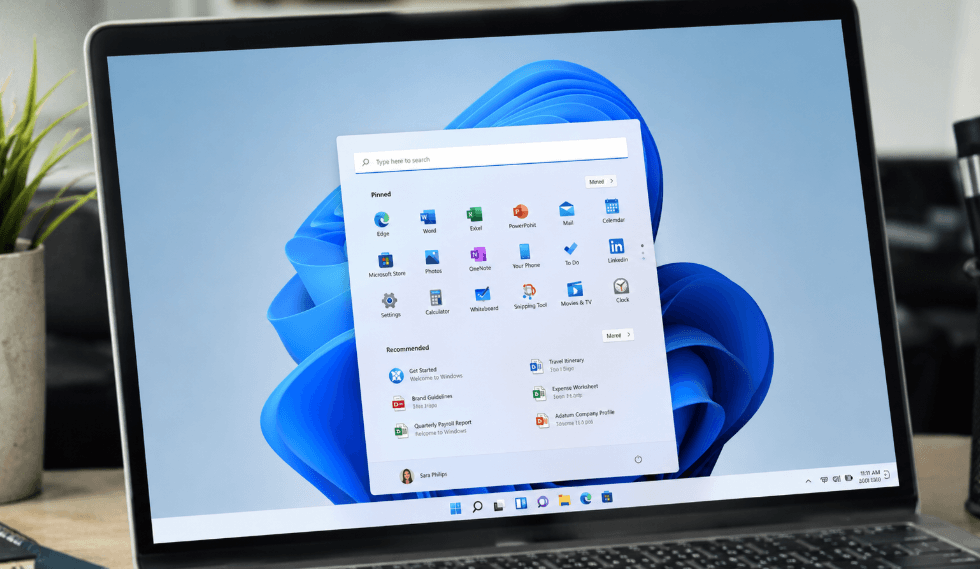
Microsoft’s Latest Windows 11 Update Brings Smarter Controls, Better Recovery and Improved Performance
Microsoft has begun rolling out its July 2026 Windows 11 update, delivering a substantial package of new features alongside important security fixes. Released as part of the company’s monthly Patch Tuesday programme, the update addresses around 570 security vulnerabilities while introducing a range of usability improvements for eligible Windows 11 devices.
Although some features are being released gradually and may not appear immediately after installation, the update offers several practical enhancements that could improve everyday computing for home users, students and professionals across the UK.
1. Widgets Become Less Intrusive and More Useful
Automatic Widget Pop-Ups Are Disabled by Default
One of the most noticeable quality-of-life improvements affects the Windows Widgets panel. Previously, simply hovering over the Widgets icon on the taskbar could cause the panel to open unexpectedly, often displaying news headlines and suggested content.
Following the July update, Widgets no longer open automatically by default. Microsoft has also reduced notification badges, replacing the previous bright red alerts with badges that match the user’s Windows accent colour.
New users are now directed straight to the Widgets dashboard instead of Microsoft’s news feed, while the Windows lock screen displays only a weather widget rather than multiple information cards.
Unread notification badges now disappear automatically once users leave the dashboard, although these behaviours remain configurable through the Widgets settings menu.
2. Windows Update Now Includes a Proper Pause Calendar
Choose an Exact Date Instead of Weekly Increments
Managing Windows updates has become more flexible.
Previously, Windows 11 only allowed users to pause updates in one-week increments, up to a maximum of five weeks. The July release introduces a calendar picker within Settings > Windows Update, allowing users to select a precise end date up to 35 days in advance.
This makes it easier to avoid updates during busy periods, such as business travel, university examinations or important work projects.
While update pauses remain limited to 35 days, users can choose a new pause date as the existing one expires, provided it still falls within Microsoft’s permitted timeframe.
During a pause, updates requiring a restart are held back until normal updating resumes, preventing unexpected reboots.
3. Point-in-Time Restore Offers Full-System Recovery
Windows Can Roll Back the Entire PC After Problems Occur
Arguably the most significant addition in this month’s release is Point-in-Time Restore, a new recovery feature that expands considerably on the traditional System Restore tool.
Once enabled, Windows automatically creates snapshots of the entire system, including installed applications, settings and personal files. These restore points are stored for up to 72 hours and can be used if software installations, driver updates or Windows updates cause problems.
Unlike the older System Restore feature, Point-in-Time Restore captures much more than system files and registry settings. It operates using Microsoft’s Volume Shadow Copy Service and performs background snapshots without interrupting normal use.
Users can configure restore frequency between every four and 24 hours through Settings > System > Recovery.
There are some limitations. Restoring the system removes any changes made after the selected restore point, including newly created files and updated passwords. The feature also requires up to 50GB of available storage and is only enabled automatically on PCs with at least 200GB of total storage capacity.
Nevertheless, for users concerned about failed updates or system instability, it represents one of Windows 11’s most valuable recovery improvements to date.
4. New Accessibility Tools Help Reduce Eye Strain
Screen Tint and Magnifier Receive Practical Upgrades
The July update introduces Screen Tint, a new accessibility feature designed to make prolonged screen use more comfortable.
Unlike Night Light, which simply adjusts colour temperature, Screen Tint overlays a fully customisable colour filter across the display. Users can select from six preset colours or create their own shade while adjusting intensity to suit personal preference.
The feature may be particularly useful for people sensitive to bright displays or those who experience eye strain during long working sessions.
Microsoft has also enhanced Magnifier, allowing users to enter precise zoom percentages rather than relying solely on a slider. Zoom increments can now be adjusted directly from the Magnifier controls, providing more accurate accessibility settings.
5. Bluetooth Reliability Receives a Major Upgrade
Improved Headset Support, Faster Pairing and Better Audio Stability
Bluetooth connectivity sees one of its largest updates in recent years.
Microsoft has introduced improvements covering microphone synchronisation, audio reliability, wireless pairing and device management.
Bluetooth headset mute controls now remain synchronised with Windows, preventing situations where a headset indicates the microphone is muted while Windows still treats it as active.
Other improvements include:
- Faster pairing for Apple AirPods.
- Improved microphone reliability for Beats Studio Pro headphones.
- Better recovery for Bluetooth LE Audio after dropped connections.
- Faster reconnection for Bluetooth devices after waking from sleep or hibernation.
Phone Link has also been refined. Outgoing calls initiated on a connected smartphone now remain on the handset until answered, only transferring audio to the PC if required. Incoming calls also remain silent on the computer when Do Not Disturb mode is enabled.
Additional Improvements Included in the July Release
Alongside the headline features, Microsoft has introduced numerous smaller refinements throughout Windows 11.
File Explorer launches more quickly, while disk image mounting has been improved. Voice Access and voice typing now support French, German and Spanish on compatible Copilot+ PCs, with improved grammar correction and speech recognition.
The emoji panel now uses GIPHY for GIF integration, replacing the previous provider.
Printer installation has also been modernised through Microsoft’s Windows Ready Print initiative, using Internet Printing Protocol by default for simpler setup.
Touchpad users can now customise the size of the bottom-right right-click area, while Explorer stability has been improved across the taskbar, Start menu and sign-in experience.
Networking fixes address several Wi-Fi, VPN, virtual machine and mobile connectivity issues.
Windows Search Continues to Improve for Insider Users
Microsoft is also testing further improvements through the Windows Insider programme.
The redesigned Windows Search removes MSN content, trending searches and shopping suggestions, instead prioritising recent searches and clearly identifying whether results come from apps, files, settings or the web.
Users can also disable Bing web results and Microsoft Store suggestions through new privacy settings. Local files and applications are now prioritised over web searches, even when search terms contain spelling mistakes.
The redesigned Search experience is currently limited to Insider builds, with no confirmed public release date.
Before Installing the July Update
Microsoft has confirmed that the July update resolves a storage issue that caused a system database file to grow unexpectedly, consuming significant disk space on some PCs.
However, users with certain Intel-based Dell laptops should be aware of a known compatibility issue. Microsoft has temporarily blocked the update on affected devices after reports of unexpected shutdowns, higher temperatures, reduced performance and increased battery usage linked to a conflict with Dell software.
Eligible users can install the update by navigating to Settings > Windows Update > Check for updates, where it will appear as KB5101650 before requiring a single restart to complete installation.

Thomas Hawthorne is a contributor to Nintendo-power.com, covering a broad range of topics including news, business, technology, entertainment, lifestyle, and current affairs. He focuses on delivering clear, accurate, and accessible reporting that helps readers stay informed about important developments and emerging trends. With a reader-first approach, Thomas aims to provide useful context, balanced insights, and engaging stories that reflect the issues, events, and interests shaping everyday life.